Software · Knowledge assistant
Case study: Starpi – knowledge assistant in the browser
A knowledge assistant in the browser that backs answers from your files with sources and checks them sentence by sentence
- Type
- Web app
- Version
- 3.0
- Licence
- MIT
Views of the website
Captures of the website as visitors see it, taken by Coday.
01.1
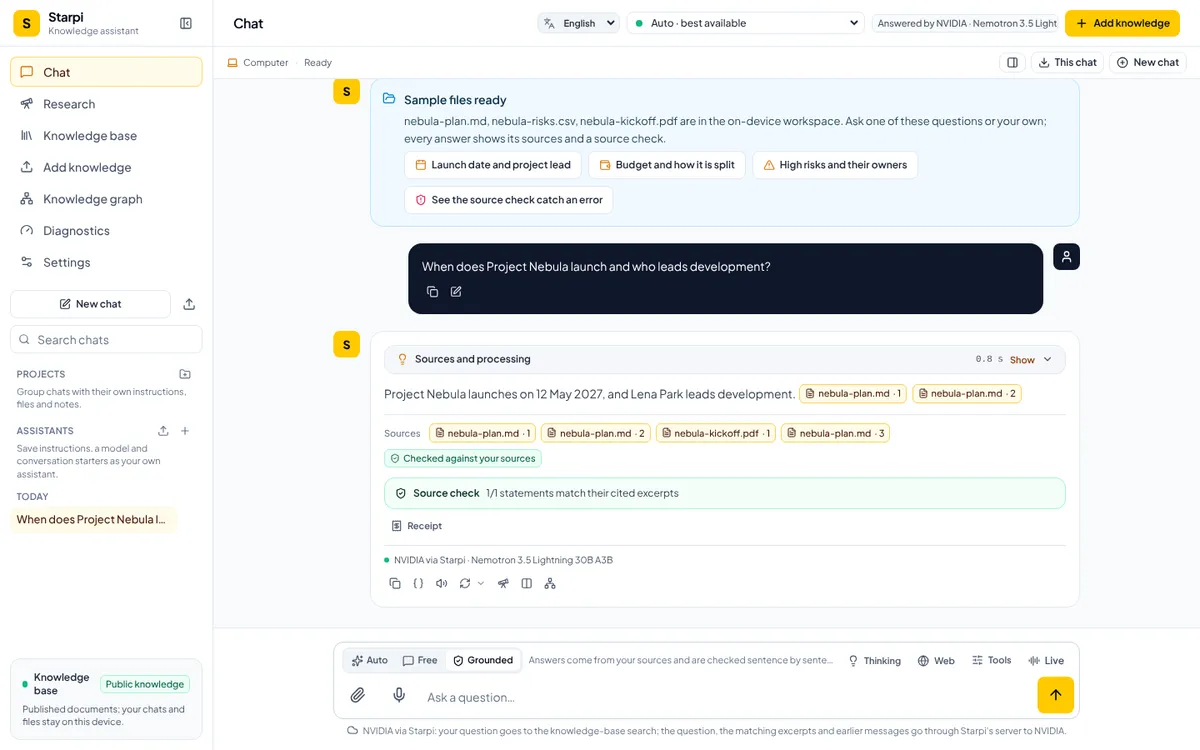
Answer with sources
A real answer to a sample question, generated live with a free model of the site (NVIDIA). The statement cites its file, the source check finds 1 of 1 statements in the cited passages, and the line under the answer names the model that wrote it.
01.2
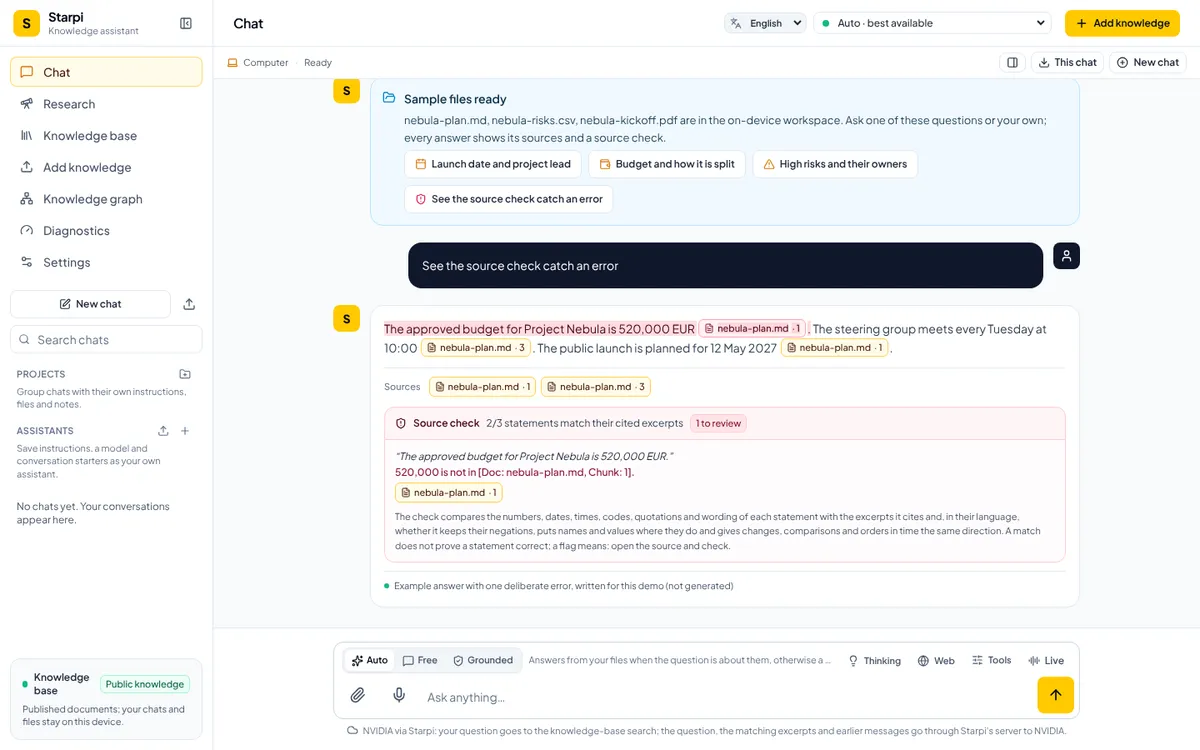
Source check
An example answer with one deliberate error, which the app itself labels as a demo: the source check does not find 520,000 in the cited passage and flags the statement. A match does not prove a statement correct; a flag means: open the source and check.
01.3
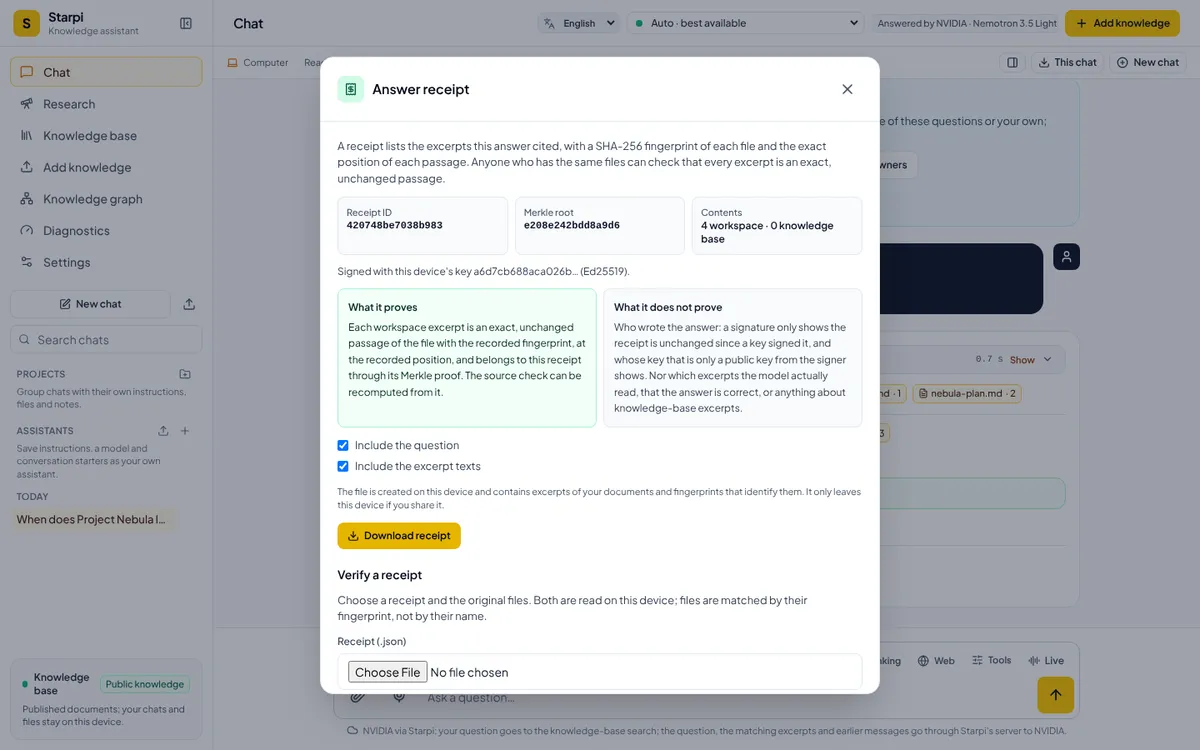
Signed receipt
The receipt lists the cited passages with the fingerprint of each file and the exact position of each passage, and it is signed with a key of this device. The dialog also says what the receipt does not prove: who wrote the answer and whether it is correct.
01.4
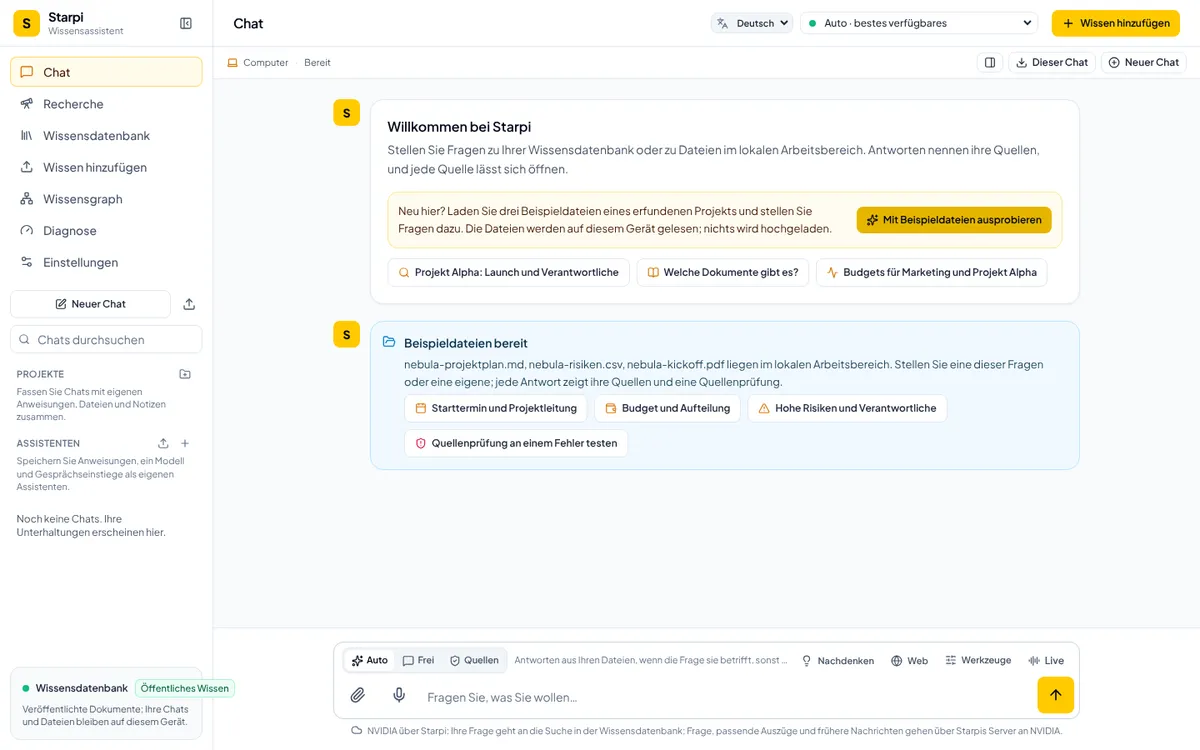
Interface in German
The same app in German, switched with the language menu at the top. Starpi 3.0 comes in six interface languages: English, German, French, Spanish, Italian and Turkish. The sample files exist in English and German.
01.5Smartphone
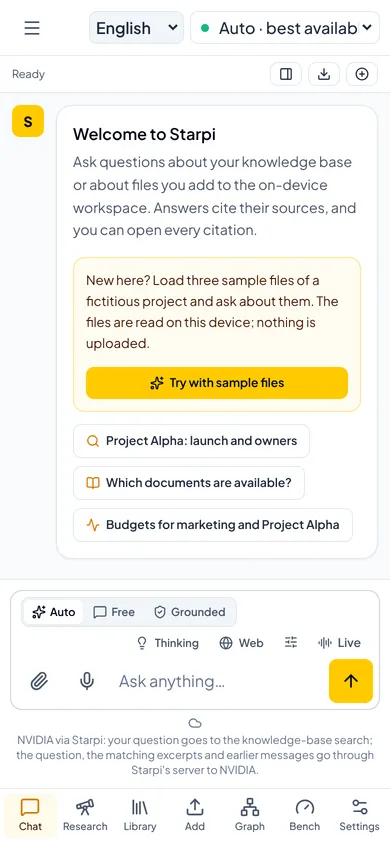
Starpi on a smartphone
On a smartphone the navigation moves into a bar at the bottom; the composer, the modes and the note on where the question goes stay the same.
The Challenge
The Task: Starpi is Coday's own web app: a knowledge assistant that answers questions about your files and shows with every answer how far you can trust it. You need no account and no API key of your own, and there is nothing to install.
- Every answer from your files should name its sources and be checkable against the cited passage
- Files should be read on the device, not uploaded; an AI model receives only the passages an answer needs
- Free answers without sources should stay possible, but be marked as not checked
Our Approach
Starpi 3.0 works with the AI model you choose. The checks stay the same for every model.
- 03.1
One chat, many models
One shared AI layer covers ten providers, among them Anthropic, OpenAI, Gemini and NVIDIA, plus your own server and models that run right in the browser. Without a key of your own you can use the free models the site offers. Auto goes down a fixed order: your own keys first, then the site's free models, your server and finally a model already loaded on your device.
- 03.2
Checked sentence by sentence
Auto decides for each question whether your files can answer it. When the answer comes from your files, the source check compares every statement with the passages it cites: numbers, dates, names, negations and, new in version 3.0, also changes, comparisons and order in time. What Starpi reads aloud, says in a Live conversation or writes into a research report passes a second check first: in an answer from your files, a number gets through only when the cited passage contains it.
- 03.3
Signed receipt
Every answer from your files comes with a receipt to download. It records each cited passage with the fingerprint of its file and its exact position, and by default it is signed with a key of your device. Anyone with the same files can verify every passage.
The Software
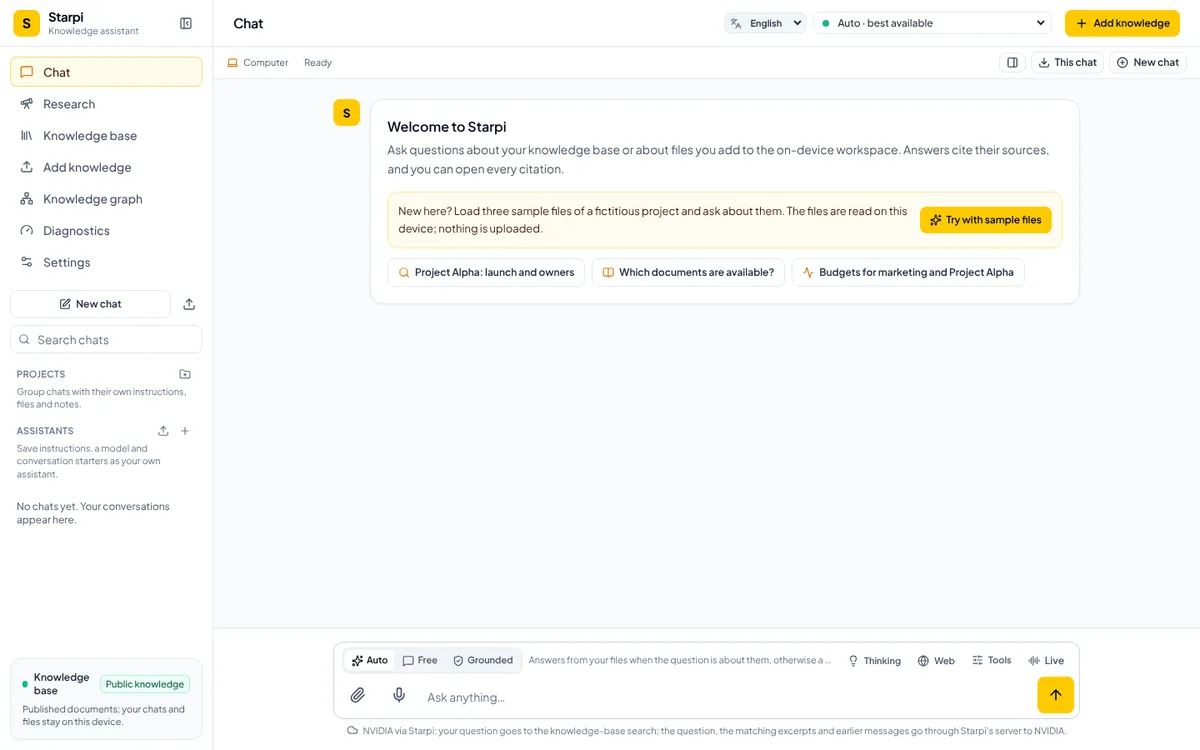
Starpi runs in the browser. PDF, Markdown, text, JSON, CSV, Word, Excel, PowerPoint and HTML files are read and searched on the device and stay there instead of being uploaded; your chats stay on the device too. The composer switches between Auto, Free and Grounded and offers Thinking, web search, Tools and Live, a spoken conversation. On top come research jobs, a knowledge graph from your files, end-to-end encrypted sync that only runs once you turn it on, and Starpi Core, a local companion for your own machine. The interface comes in English, German, French, Spanish, Italian and Turkish. Starpi is MIT-licensed.
Results
Starpi 3.0.0 was released on 19 October 2026. The figures come from the project's changelog and README, as of 20 October 2026; the live app shows the languages and providers too. No usage figures.
- Interface languages
- 6
- English, German, French, Spanish, Italian, Turkish
- AI providers with your own key
- 10
- plus the site's free models, your own server and models in the browser
- File formats read on the device
- 9
- PDF, Markdown, text, JSON, CSV, Word, Excel, PowerPoint, HTML
Similar Project?
Let's talk about your vision.